Overview
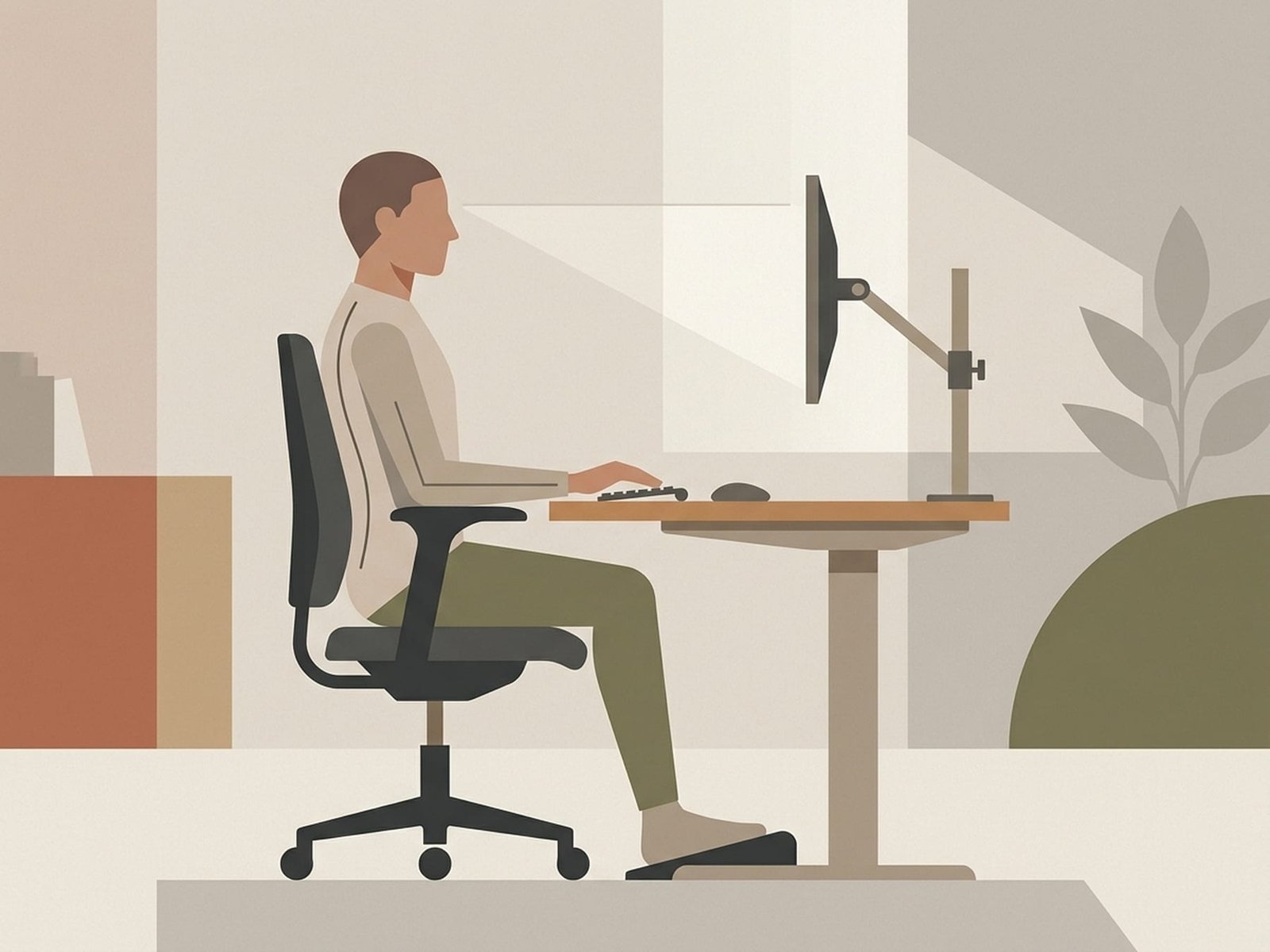
Desk Ergonomics
Concept Overview IllustrationModern desk work is a common contributor to myofascial trigger points in the neck, shoulder, and upper back. Many office workers spend long hours in relatively static postures that sustain low-level contraction in postural muscles — conditions associated with trigger point formation. Upper Crossed Syndrome (UCS), first described by Vladimir Janda, is one of the best-known models for understanding this desk-related muscle imbalance.
The combination of forward-head posture, rounded shoulders, and increased thoracic flexion can create predictable trigger point patterns in the upper trapezius, levator scapulae, SCM, pectoralis minor, and suboccipital muscles. These patterns are extremely common in desk workers, although not every patient presents in exactly the same way.
The solution is not simply a better chair or a standing desk — it is a combined strategy of workstation setup plus regular movement that interrupts sustained loading before symptoms accumulate.
The best posture is usually the next posture. Even a well-set workstation works better when it is paired with regular movement variation.
This guide provides a practical ergonomic framework for reducing desk-related trigger point stress. These changes are not just comfort upgrades; for many patients they are part of treating the root contributors to persistent pain.
Important point: If you spend several hours each day at a desk without movement breaks or reasonable workstation setup, those habits may be helping to maintain your symptoms. Treatment works better when the daily aggravators are reduced at the same time.
Upper Crossed Syndrome Explained
Upper Crossed Syndrome is best understood as a common postural and muscular pattern rather than a rigid diagnosis. Knowing which muscles tend to become tighter and which tend to lose endurance helps guide both workstation changes and exercise selection.
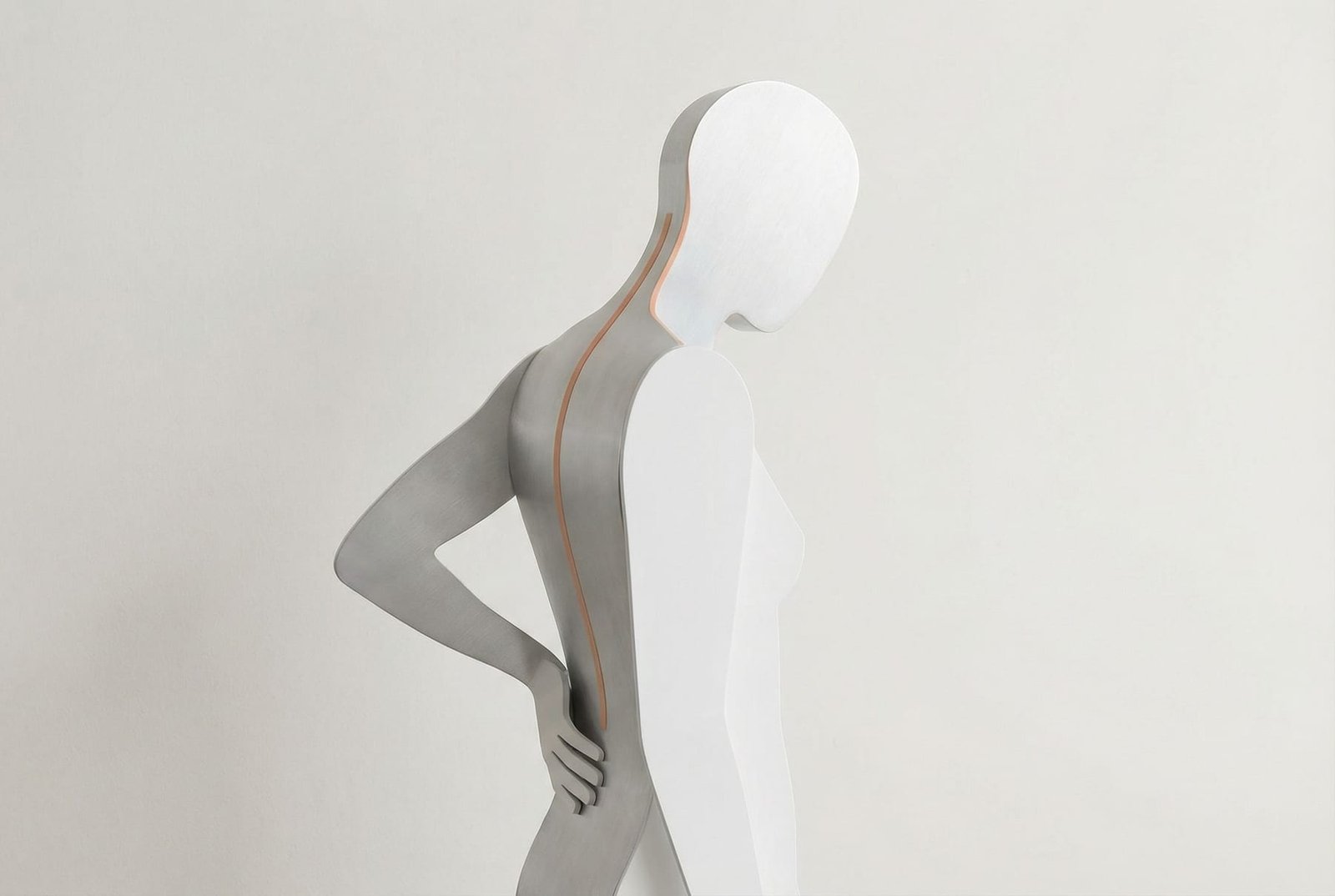
Upper Crossed Syndrome
Muscle Imbalance DiagramTight / Overactive Muscles
Upper Crossed Syndrome (UCS) is a common postural pattern involving increased resting tone and shortening in muscles such as the upper trapezius, levator scapulae, pectoralis major/minor, and sternocleidomastoid (SCM). These muscles often become more loaded in chronic forward-head and rounded-shoulder postures seen during desk work. Over time, this may contribute to trigger point activity and pain referral into the head, neck, shoulder, and arm.
Weak / Inhibited Muscles
The reciprocal pattern often includes reduced endurance or underactivity in the deep cervical flexors, lower trapezius, serratus anterior, and sometimes the rhomboids. These muscles help maintain head position and scapular stability. When they lose endurance, tighter muscles compensate more, which can reinforce the postural imbalance and make trigger point patterns harder to calm.
The Crossing Pattern
Janda's "cross" describes two diagonal imbalances: one linking tighter upper trapezius/levator scapulae with tighter pectoralis major/minor, and another linking weaker deep neck flexors with weaker lower trapezius/serratus anterior. This X-shaped pattern is a useful clinical model for understanding how prolonged desk posture may contribute to persistent neck and shoulder discomfort, even though not every desk worker fits the pattern perfectly.
Monitor Setup
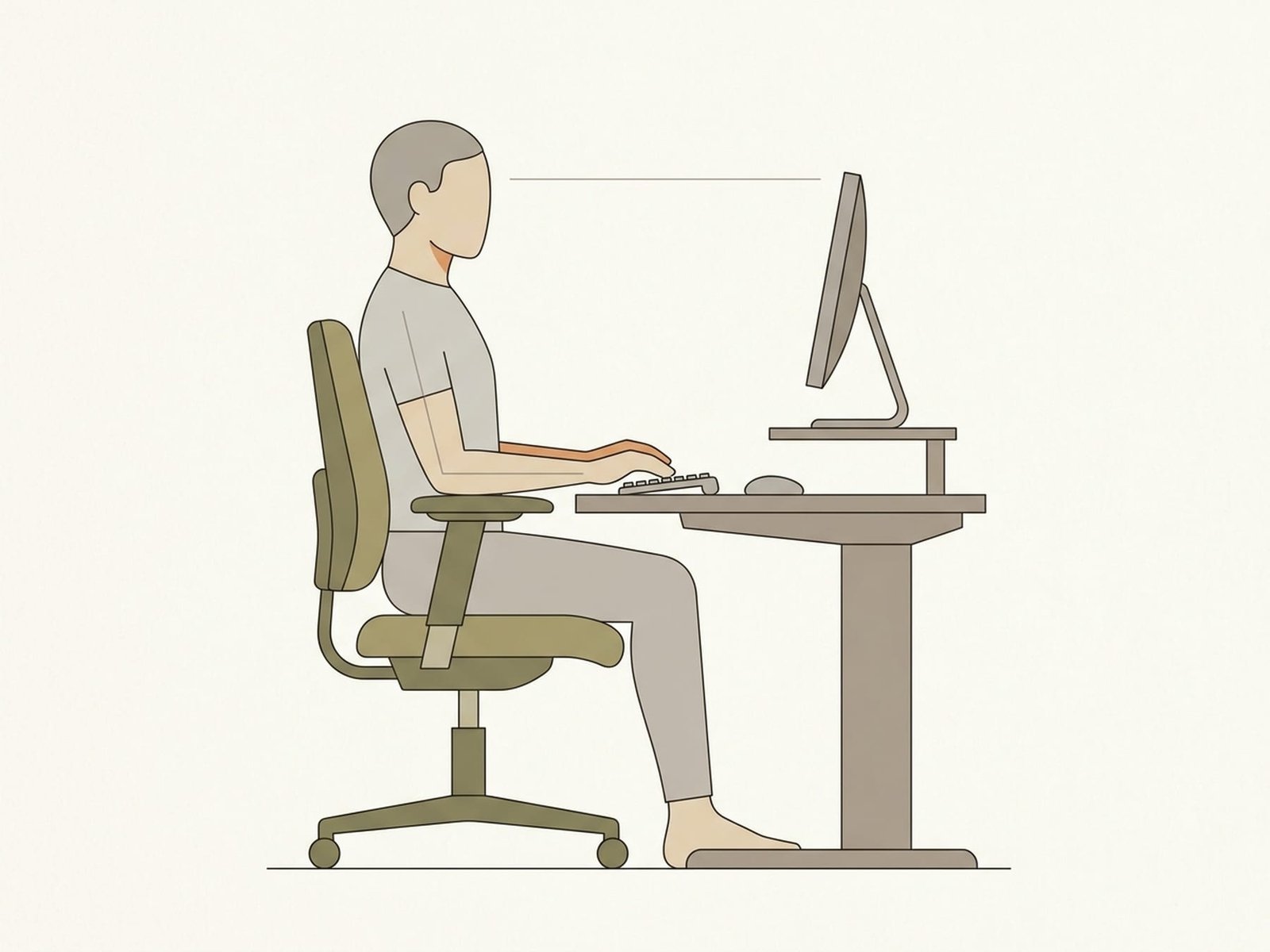
Ergonomic Workstation Setup
Reference DiagramMonitor Height
Position the top of the screen roughly at or slightly below eye level. This usually allows a gentle downward gaze without excessive cervical flexion. A monitor that is too low encourages sustained neck flexion, while one that is too high can promote cervical extension or chin lift. The goal is a neutral, comfortable head position rather than a rigidly “perfect” angle.
Monitor Distance
Place the screen at approximately arm's length (often around 50-70 cm / 20-28 inches, depending on screen size and vision needs). This distance usually reduces the tendency to lean forward. If the text is too small, increase font size or display scaling rather than moving the screen closer.
Monitor Position
Center the monitor directly in front of you when possible. An off-center screen encourages sustained rotation through the neck and trunk, especially during long work sessions. For dual monitors, keep the primary one centered, or angle both monitors symmetrically if they are used equally often.
Chair Adjustments
Seat Height
Adjust the seat so your feet can rest flat on the floor with knees around 90 degrees and thighs supported. If the desk height forces the chair upward, a footrest can help. Unsupported feet or excessive seat height may increase posterior-thigh pressure and reduce overall postural comfort.
Lumbar Support
Use lumbar support to maintain a comfortable lower-back curve without feeling aggressively pushed forward. When the pelvis rolls backward and the lumbar spine flattens, the thoracic spine and head often compensate by drifting forward. Lumbar support alone does not “fix” posture, but it can reduce one common driver of the slumped sitting pattern.
Armrest Height
Set armrests so the forearms can rest comfortably with shoulders relaxed and elbows near 90 degrees. Armrests that are too high may encourage shrugging, while armrests that are too low may leave the upper quarter unsupported for long periods. The best setting is one that reduces sustained shoulder tension without restricting movement.
Keyboard & Mouse Ergonomics
Keyboard Position
Place the keyboard where the forearms can stay near parallel to the floor and the wrists remain relatively neutral. A slightly negative keyboard angle may be more comfortable for some users, but the main goal is to avoid prolonged wrist extension and unnecessary shoulder reach. Small adjustments matter more than strict gadget-based rules.
Mouse Ergonomics
Keep the mouse close to the keyboard and at the same general height. Reaching too far outward or forward increases shoulder load and internal rotation. Some users do better with a vertical mouse or other alternate designs, especially if forearm pronation or gripping aggravates symptoms. The best mouse is the one that reduces strain and is actually usable for your workflow.
The Micro-Break Protocol
Micro-breaks are one of the highest-yield interventions for desk-related myofascial pain. They do not need to be long. What matters most is regular interruption of static loading throughout the day.
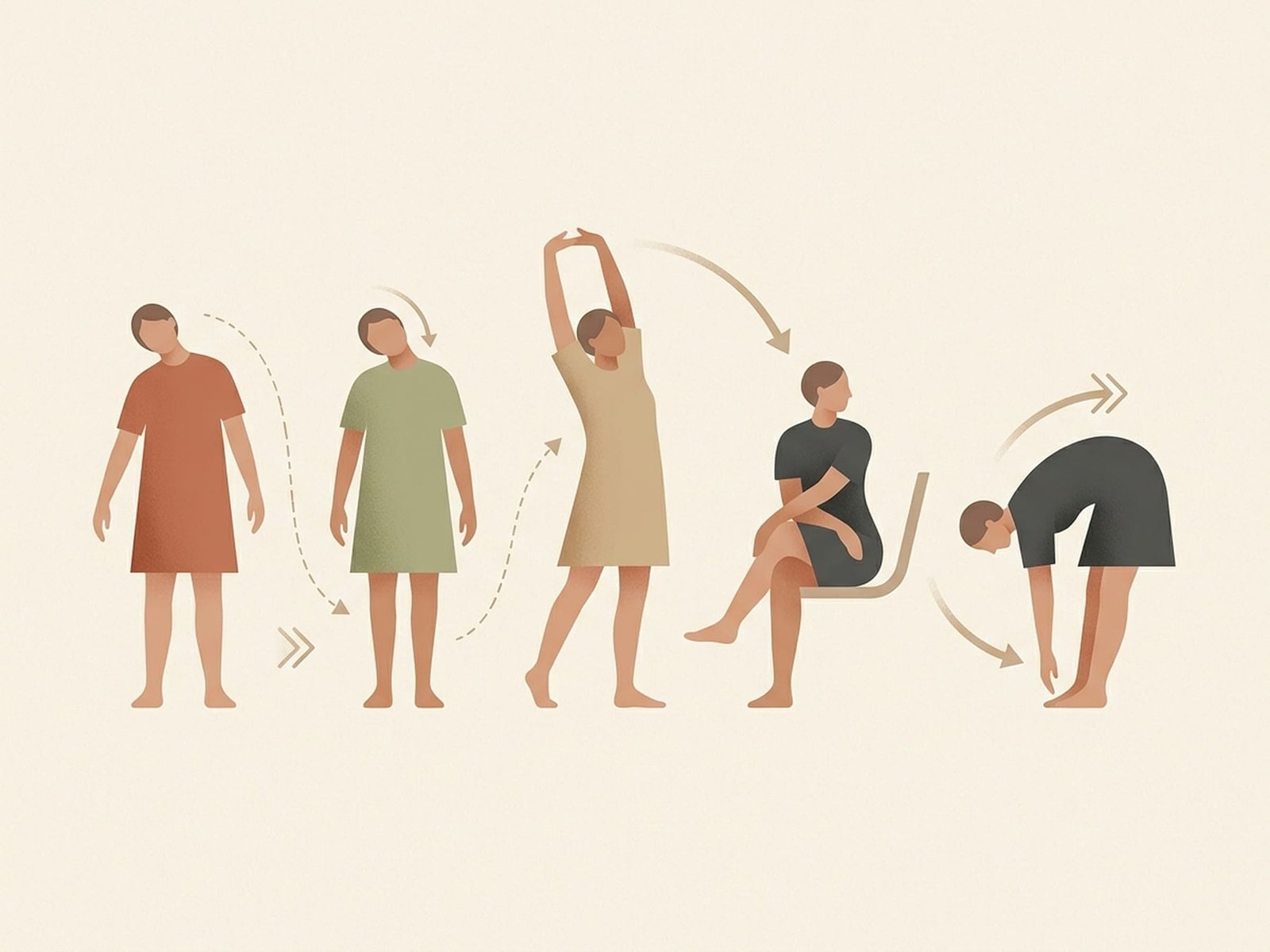
Micro-Break Protocol
Movement Guide IllustrationThe 20-20-20 Rule
High PriorityEvery 20 minutes, look at something 20 feet (6 meters) away for at least 20 seconds. This is primarily an eye-strain strategy, but it also works well as a cue for a brief postural reset. Using visual breaks to trigger movement is often more practical than waiting until pain or stiffness forces you to move.
Chin Tucks (Deep Neck Flexor Activation)
High PriorityGently retract the chin straight back and hold for 5-10 seconds. Repeat several times. This exercise can help activate the deep cervical flexors while reducing the habitual forward-head posture seen in many desk workers. It is often highly useful, but it should still be performed gently and without forcing the neck into discomfort.
Doorway Pec Stretch
Moderate PriorityPlace the forearms on a doorframe and step through gently until you feel a stretch across the chest and front of the shoulders. Hold for 20-30 seconds. This can help counter the shortened pectoral position associated with prolonged reaching and keyboard work. Frequency matters more than intensity here.
Scapular Squeezes (Retraction)
Moderate PriorityGently draw the shoulder blades together and slightly downward, then hold briefly before relaxing. Repeat several times. This can help reinforce lower trapezius and scapular stabilizer engagement and may be especially useful when paired with chin tucks.
Seated Thoracic Extension
Moderate PriorityInterlace the fingers behind the head or lightly support the head, then gently extend the upper back over the chair backrest. Hold briefly and repeat a few times. This movement can reduce stiffness from prolonged thoracic flexion and helps reverse the “folded forward” desk posture.
Stand and Walk (Every 30-60 Minutes)
Critical PriorityEvery 30-60 minutes, stand and walk for 2-3 minutes when possible. This interrupts sustained muscle loading, changes joint angles, restores blood flow, and reduces the long uninterrupted contraction patterns associated with desk-related discomfort. For many people, this habit matters as much as the workstation setup itself.
The Ergonomic-Movement Synergy
Workstation setup and micro-breaks work best together. Ergonomics lowers baseline strain; movement breaks interrupt whatever sustained contraction remains. Either one helps, but the combination usually works better than either alone.
Why Sustained Contraction Can Activate Trigger Points
Desk work is low force, but it is high duration. That combination matters. Prolonged low-level contraction is one of the main reasons seemingly “light” work can still aggravate trigger points and postural pain.
The Energy Crisis Model
One influential model of trigger point formation proposes that sustained low-level muscle contraction creates a local energy mismatch. The contracted fibers may reduce local perfusion, while pain-related chemicals accumulate and sensitization develops. Desk work often involves exactly this kind of prolonged low-level postural demand, which is why it is commonly implicated in myofascial pain patterns.
Cinderella Fibers
The “Cinderella hypothesis” proposes that small motor units are recruited first and released last during low-level sustained activity. In prolonged desk work, these fibers may remain active for long periods with little rest. This theory helps explain why seemingly low-intensity work can still contribute to muscle overuse and trigger point development over time.
Standing Desk Considerations
Standing desks can be helpful, but they are not a complete solution on their own. Used poorly, they can simply replace one static load pattern with another.
Alternating Sit-Stand Protocol
Standing all day is usually not the answer. Many people do best by alternating between sitting and standing through the day rather than committing to one posture for hours. A pattern such as 20-30 minutes sitting followed by 10-20 minutes standing is often reasonable, but the exact schedule should be guided by tolerance, task demands, and symptom response.
Standing Desk Height
When standing, keep the monitor at about eye level and the elbows near 90 degrees with the wrists neutral on the keyboard. One common mistake is setting the desk too low, which recreates the same forward-head posture that the standing desk was meant to reduce. An anti-fatigue mat and frequent weight-shifting can help comfort.
Common Standing Desk Mistakes
Locking the knees, leaning into one hip, crossing the ankles, or standing too long without variation can create new discomfort patterns. Standing is often helpful, but movement variation is usually more important than standing itself.
Laptop & Mobile Device Ergonomics
The Laptop Problem
Laptops are ergonomically limited because the screen and keyboard are attached. If the screen is at the right height, the keyboard is often too high; if the keyboard is comfortable, the screen is often too low. For sessions longer than a short period, an external keyboard and mouse with the laptop elevated is usually a much better setup.
Phone and Tablet Posture
Phone and tablet use often encourages substantial forward-head posture. This increases load through the neck and upper-quarter muscles and can contribute to “tech neck” symptoms in susceptible users. Holding the device higher, limiting long uninterrupted sessions, and taking frequent breaks are simple but important interventions.
Work-From-Home Setup Guide
Remote work has increased ergonomic problems because home workstations are often improvised. A few targeted changes usually make a much larger difference than trying to power through with willpower alone.
Dedicated Workspace
Working from a couch, bed, or kitchen table for extended periods usually makes good posture harder to sustain. A dedicated workspace with a proper desk and adjustable chair is often one of the most worthwhile upgrades for anyone with recurring desk-related pain.
DIY Monitor Elevation
If you do not have a monitor arm or stand, elevate the screen using books, a riser, or a sturdy box. A laptop elevated with an external keyboard is usually far better than a laptop used flat on a desk. Even simple home modifications can meaningfully improve neck position.
Lighting and Glare
Position the screen to reduce glare — often perpendicular to windows rather than directly in front of or behind them. Glare encourages squinting, leaning, and forward-head posture. Indirect lighting and reduced screen reflections often improve comfort more than people expect.
Key Takeaways
Upper Crossed Syndrome is a useful model for understanding desk-related pain: tighter upper traps and pecs often coexist with underactive deep neck flexors and lower scapular stabilizers.
Monitor height, distance, and centering matter because they strongly influence head and neck position over long work sessions.
Chair setup matters too: feet supported, lumbar comfort, and arm support all influence how much the upper quarter has to compensate.
Brief micro-breaks every 20-30 minutes are often more valuable than trying to hold a “perfect” posture all day.
Standing desks are most helpful when alternated with sitting. Static standing for long periods can also provoke symptoms.
Laptops usually need an external keyboard and screen elevation for longer work sessions.
Phone and tablet posture can meaningfully load the neck and upper-quarter muscles when used for long uninterrupted periods.
Low-level sustained contraction is enough to aggravate trigger points over time, especially when recovery, movement, and posture variation are limited.
Home workstations deserve the same attention as office setups because poor geometry is still poor geometry at home.
For most desk workers with MPS, the goal is not perfect posture — it is better positioning plus regular variation.
The Bottom Line
If you work at a desk and have chronic myofascial pain in the neck, shoulders, or upper back, your workstation setup and movement habits may be playing a meaningful role. Better ergonomics combined with consistent micro-breaks often reduces the daily mechanical load that keeps symptoms active. These changes are simple, low cost, and often worth implementing alongside hands-on treatment and exercise.